Manage the questions in a library

It is not possible to add questions to a question library that is System defined.
These are the ways you can manage the questions in a library:
Change the order of the question by clicking and dragging the small Move icon.
Edit the question by clicking the small Edit icon (see the section below).
You can delete the question by clicking the Delete icon.

You can edit a question library that is not system generated. However, it is possible to clone a system generated library and then edit the new question library.
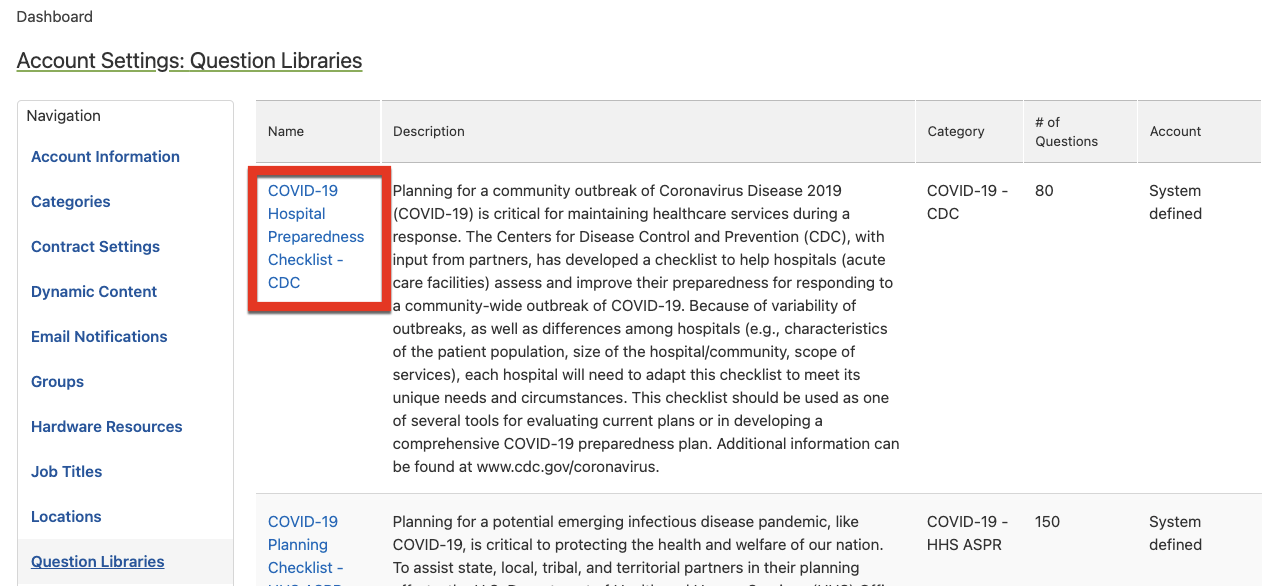
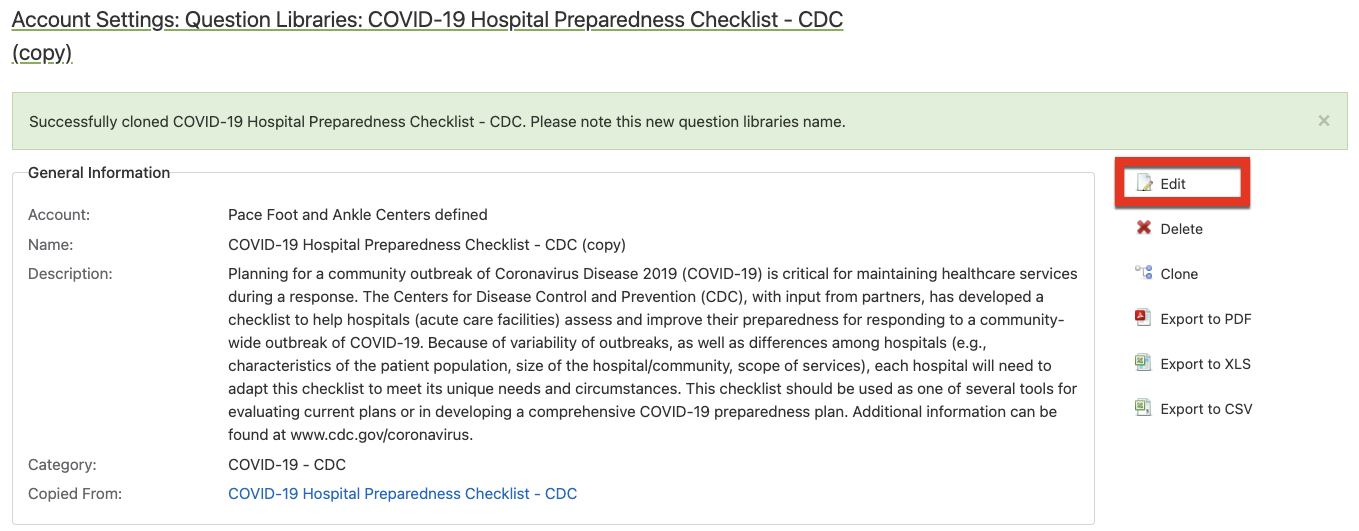
Follow these steps to clone a question library:
Click on the library link to access the question library.
In the upper-right corner, click Edit.
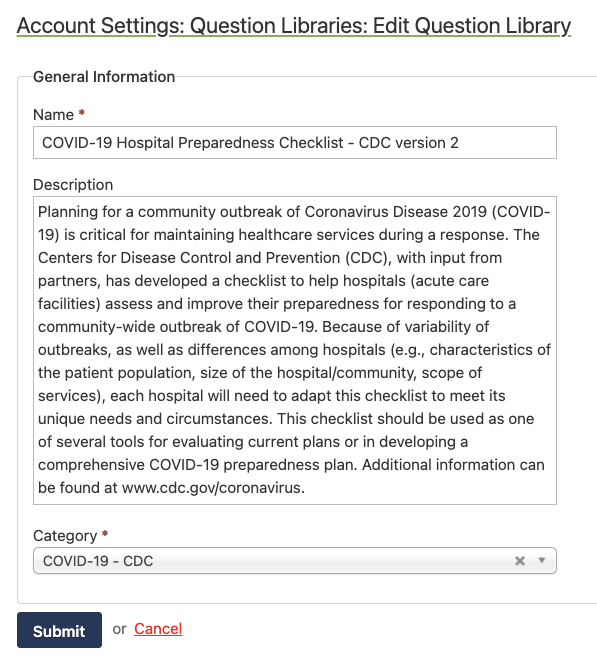
Edit the Name and Description.
Choose a Category and click the Submit button.
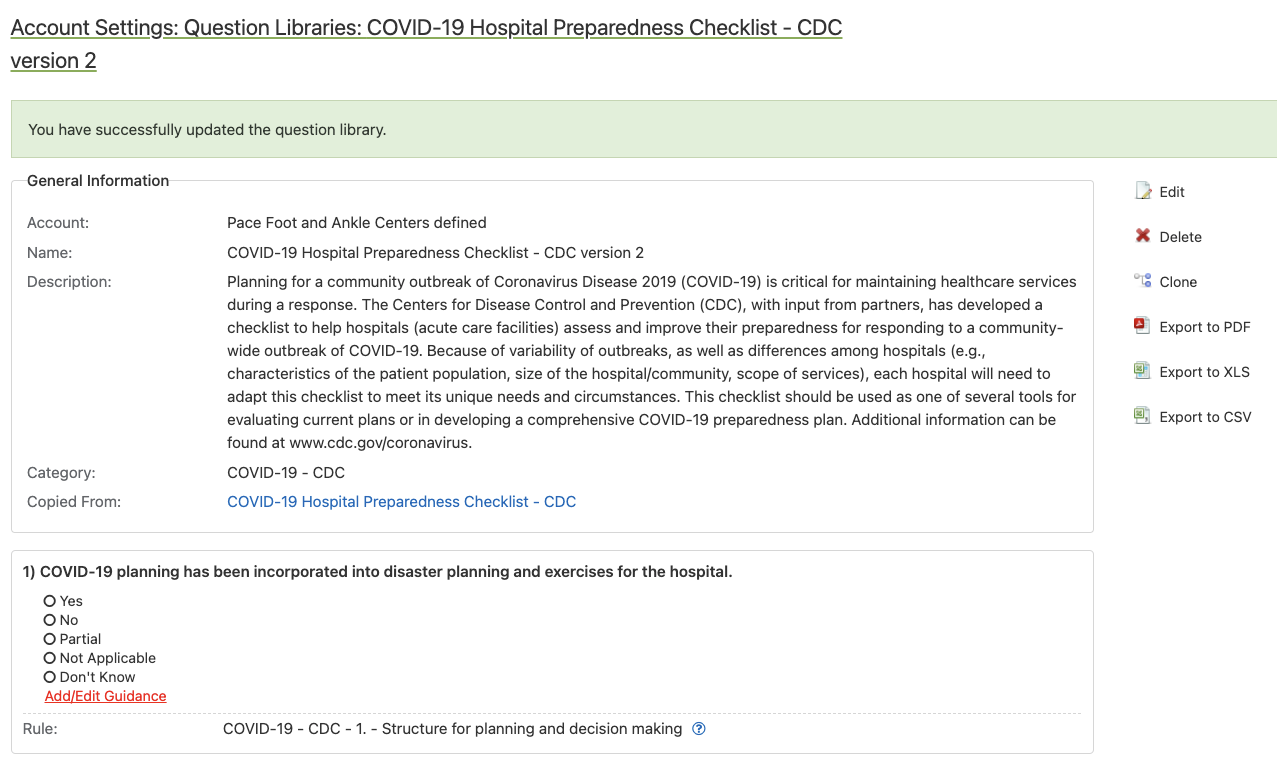
Proceed to add, edit, and delete questions from the library.